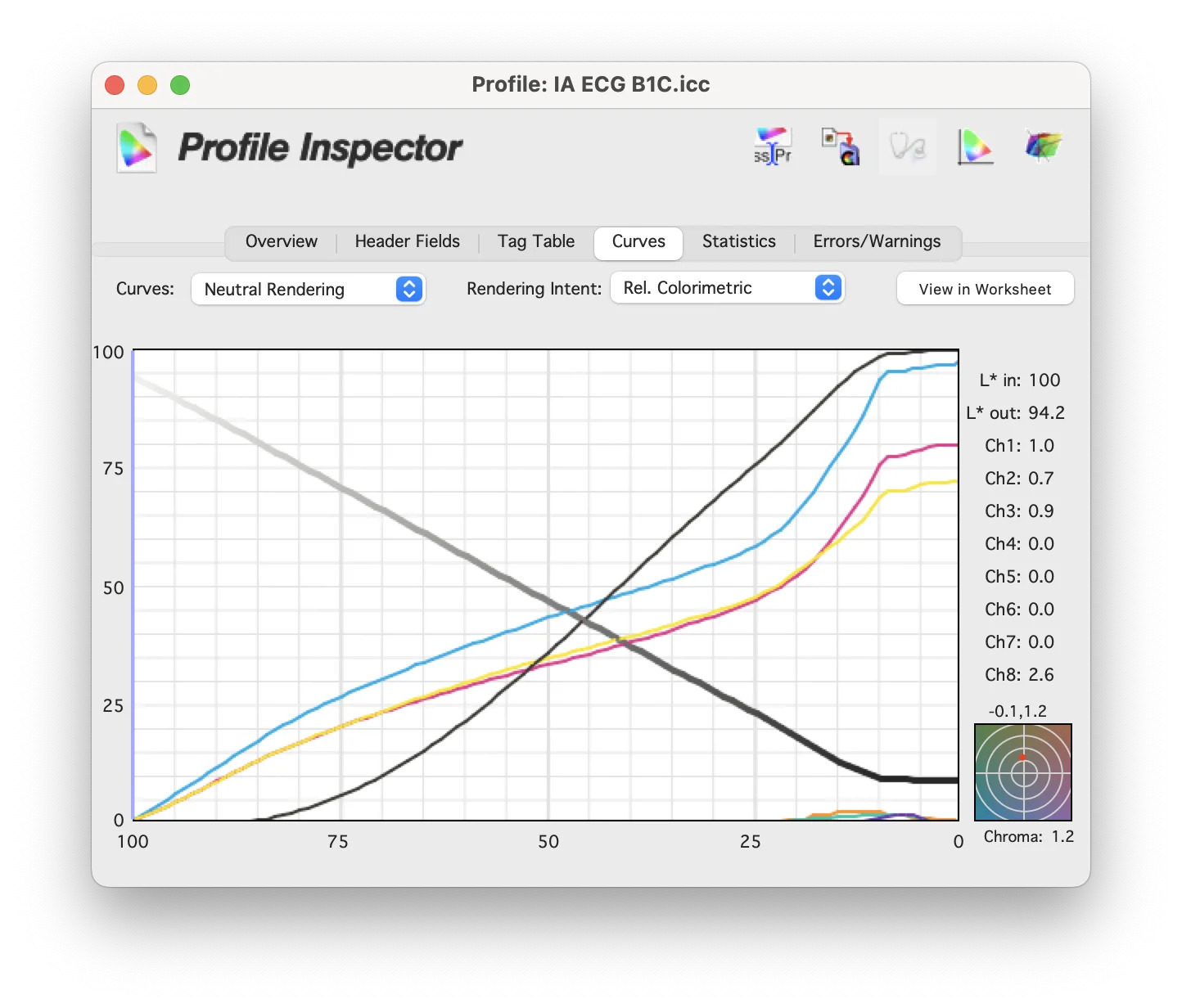
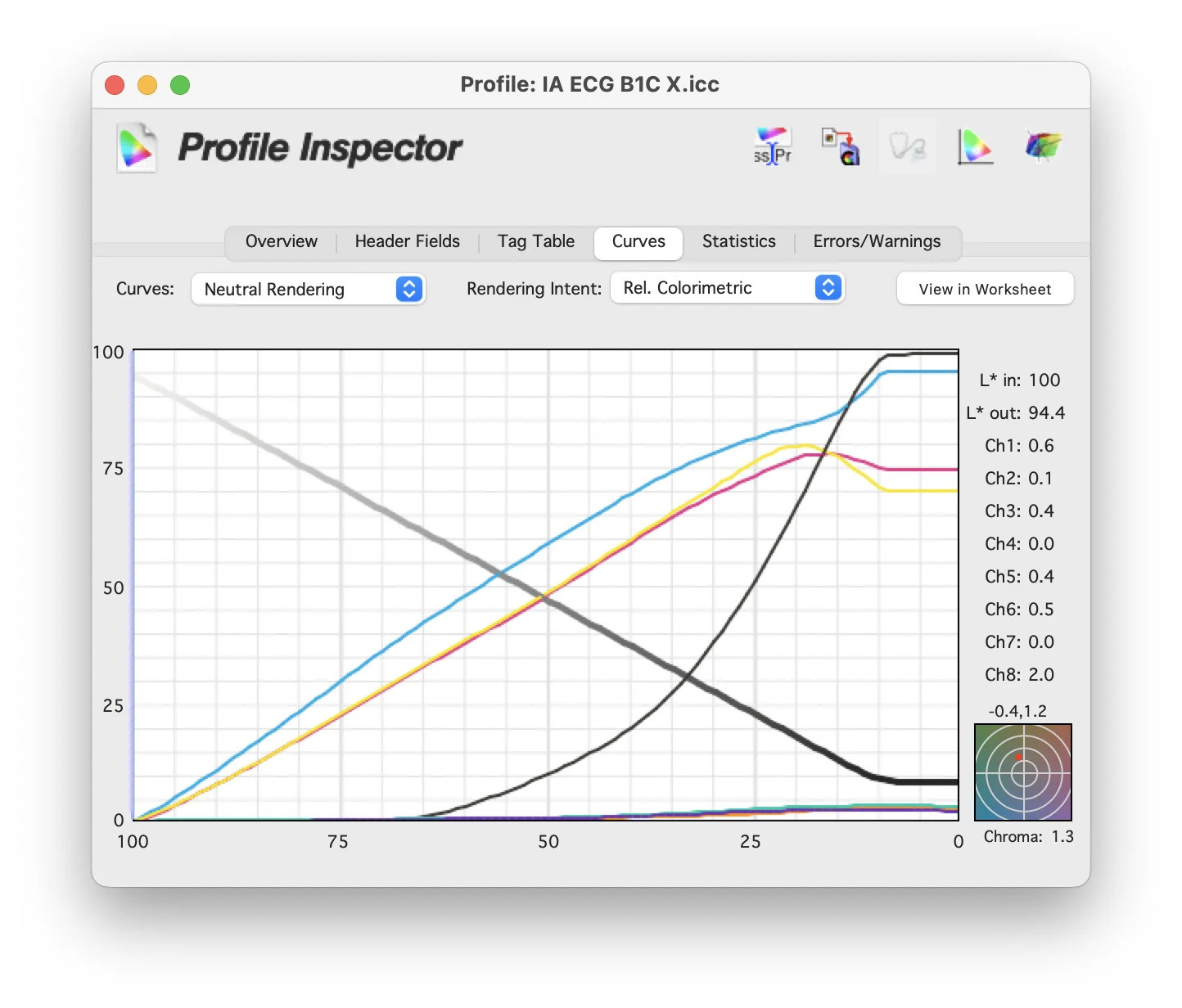
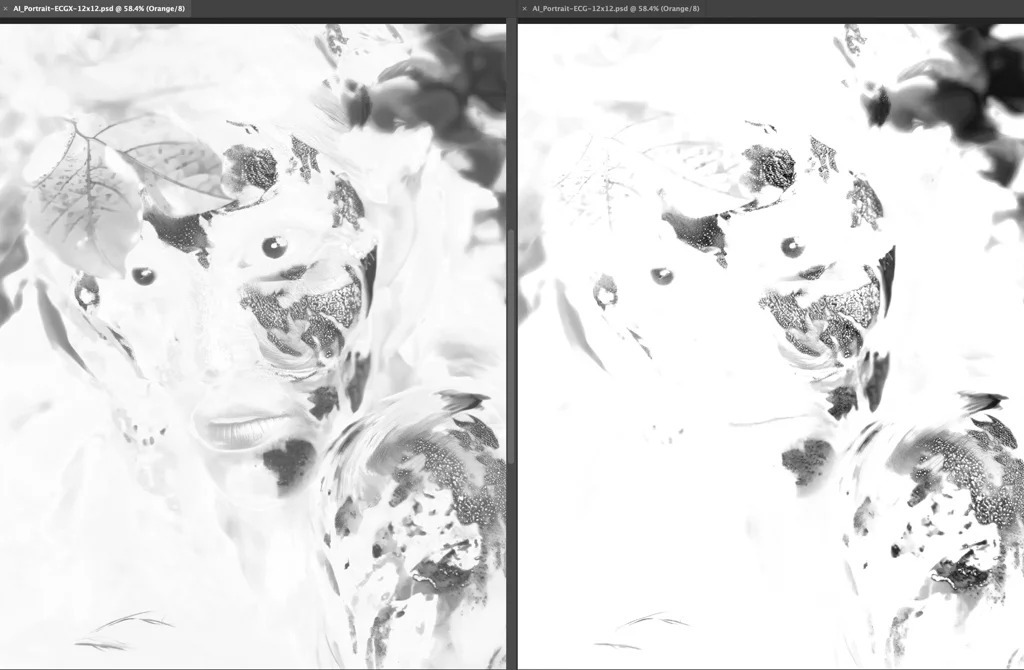
Context: This analysis examines the two ICC profiles included in the Beta ECG Characterization Target and Kit released by Idealliance in August 2021. As noted at the time, these were beta profiles, not finalized standards. Idealliance — now part of PRINTING United Alliance — has since published an Expanded Gamut 7-color dataset and profile, and work on the final standardized litho and flexo ECG datasets has continued. Check the current ECG project page for the latest files. The GCR comparison below still holds as an illustration of how gray component replacement changes a separation — which is the point. As part of the Idealliance ECG Beta Characterization Data Set download, there are two different ICC profiles — both 7-color (multichannel), CMYK plus Orange, Green, and Violet. One is called IA ECG B1C. The other is IA ECG B1C X. The difference between them is how they were built: different amounts of GCR (Gray Component Replacement) were applied. Here are the CMYK curves from within each profile. Here are RGB images converted (separated) in Photoshop using both ECG profiles — B1C X on the left, B1C on the right. The side-by-side is honestly less striking than toggling back and forth, where the difference jumps out. B1C X appears darker, because it's fuller throughout the tonal range. Now look at each individual channel — this is the content that would land on each plate. In order: C, M, Y, K, O, G, V. You can clearly see that the B1C X profile puts more content on all of the color channels and less on the Black channel — exactly what you'd expect from a profile with less gray component replacement. It depends on your priorities. Here's the trade-off: The B1C profile will print with less ink and be more manageable on press against color shifts. But be clear-eyed: the results are not perfectly equal in terms of color. That's the trade you're making. I was already exploring down this rabbit hole and thought others might be interested in the specific differences. If you're interested in implementing expanded color gamut printing, get in touch. We offer a complete ECG ink set for offset and flexo, turn-key proofing and soft-proofing, and the training and expertise to help you implement it. Director of Technical Services, Alder Color Solutions Dan has spent more than three decades helping printers, converters, publishers, packaging companies, and photographers get control of their color — across offset, flexo, wide-format, digital, and packaging production. He founded the color consultancy ColorGeek Inc. in 1999 and joined Alder in 2018. A certified G7 Expert since the inaugural 2006 class, he has spent nearly twenty years implementing G7 and international print standards in real production environments, and was one of the few certified instructors for the SGIA Digital Color Professional program. He's also a professional photographer — which keeps him fluent in both the artistic and technical sides of imaging.
The CMYK Curves Inside Each Profile
Separated Images, Side by Side

Channel by Channel






Which Profile Should You Use?
IA ECG B1C
IA ECG B1C X
GCR
More
Less
Black usage
Heavier
Lighter
CMY usage
Lighter
Heavier
Ink cost
Lower
Higher
Stability on press
More manageable — less prone to color shift
More susceptible to shift
Appearance
Lighter through the tonal range
Fuller, appears darker
Thinking About ECG?
dang@aldertech.comAbout the Author

Dan Gillespie